Close
WE'RE ALL ABOUT
YOUR
SUCCESS
HOW WOULD YOU LIKE TO GET IN TOUCH:
Email
Calendar
Close
READY FOR MAPLINE TO
ROCK
YOUR WORLD?
Our team is ready to help you eliminate wasted time, maximize your sales coverage, and supercharge your team's efficiency. We'll provide the expert guidance and tailored solutions you need to get things right.
Stop missing out on valuable opportunities. Reach out, and we'll get started on optimizing your territories today!
Email
Calendar
Close
READY FOR MAPLINE TO
ROCK
YOUR WORLD?
WE WANT YOU TO EXPERIENCE EVERY-THING YOU'VE BEEN MISSING BY STARTING YOUR FREE TRIAL TODAY! OUR TEAM IS READY TO HELP CHANGE YOUR LIFE. SO REACH OUT AND WE'LL GET THINGS STARTED!
Email
Calendar
Close
READY FOR MAPLINE TO
ROCK
YOUR WORLD?
Discover the potential of Mapline with a LIVE DEMO from our experts. This is your chance to see it in real-time and get all your questions answered. Connect with us to schedule your demo today!
Email
Calendar
Close
Give us a call. We'd love to talk!

+1 800.969.1454

Close
Give us a call. We'd love to talk!

+1.888.670.3795

Close
Close
Close
Close
Geo Mapping Starter Close

Experience the power

Get ready to see your data in a whole new way!
Geo BI Trial Close

Experience the power

Get ready to see your data in a whole new way!
Your 7-day free trial awaits!
Geo Routing Trial Close

Experience the power

Get ready to see your data in a whole new way!
Your 7-day free trial awaits!
Geo Scheduling Trial Close

Experience the power

Get ready to see your data in a whole new way!
Your 7-day free trial awaits!
Close
Close
Data-Driven
Route Optimization
with Excel & AI
Data-Driven
Route Optimization
with Excel & AI

Route optimization has become a critical capability for teams managing deliveries, service calls, sales visits, and field operations. While many organizations still rely on spreadsheets to plan routes, growing datasets and rising customer expectations demand more advanced approaches. Excel remains a familiar and flexible starting point, but it has clear limitations when routing becomes complex.

Modern route optimization blends the accessibility of Excel with the power of AI-driven routing engines. By combining spreadsheet-based data management with intelligent routing tools, teams can reduce travel time, control costs, and scale operations without sacrificing accuracy. This guide explores how route optimization works in Excel, where it falls short, and how AI-powered route optimization software fills the gap.

What Is Route Optimization?

Route optimization is the process of determining the most efficient paths between multiple locations based on constraints such as distance, time windows, vehicle capacity, and traffic conditions. Unlike simple point-to-point navigation, route optimization considers the full set of stops and variables together.

For businesses, optimized routes directly impact fuel costs, labor efficiency, customer satisfaction, and on-time performance. Whether managing five daily stops or thousands, smarter routing enables teams to do more with fewer resources.

route optimization in excel
magnifying glass with a checkmark inside

Pro Tip: If you’re starting with route optimization in Excel, focus on cleaning and standardizing address data first. Even the most advanced route optimization software depends on accurate inputs, and structured spreadsheets dramatically improve geocoding accuracy, routing performance, and overall optimization results.

Route Optimization in Excel: Why Teams Start There

Excel is often the first tool teams use for route planning because it is accessible, flexible, and familiar. Spreadsheets allow users to store addresses, assign stops to drivers, and perform basic calculations without specialized software.

For small datasets or static routes, Excel can be sufficient. Teams can manually sequence stops, estimate distances, and make adjustments as needed. This approach works best when routing complexity is low and changes are infrequent.

Common Excel-Based Routing Workflows

Most Excel-based route optimization workflows rely on a combination of address lists, lookup tables, and manual logic. Users may sort stops by ZIP code, city, or region to approximate efficient routes.

Some teams incorporate formulas or macros to calculate distances or travel times, often pulling data from external APIs. While this can improve accuracy, it increases complexity and maintenance overhead.

Route Linked Appointment Tool and Schedule Route Balancing

Limitations of Route Optimization in Excel

As routing requirements grow, Excel quickly reaches its limits. Large datasets slow performance, manual adjustments become error-prone, and complex constraints are difficult to model reliably.

Excel lacks native support for dynamic routing, traffic-aware optimization, and multi-vehicle coordination. These gaps make it difficult to scale routing operations or respond to real-time changes.

Map from excel to unlock hidden opportunities

Why Route Optimization Software Outperforms Excel Alone

Dedicated route optimization software is designed to handle complexity at scale. Instead of relying on manual sequencing or simplified rules, these tools use algorithms to evaluate thousands of possible route combinations.

Smart routing platforms account for real-world constraints automatically. This includes vehicle capacity, service time per stop, delivery windows, and changing road conditions. The result is more accurate and consistent routing outcomes.

Smart Routing and AI-Based Optimization

AI-driven route optimization evaluates patterns across historical and real-time data to continuously improve routing decisions. These systems learn from past routes, identifying inefficiencies and adapting over time.

Smart routing reduces guesswork by producing optimized routes that balance speed, cost, and service quality. This is especially valuable for organizations managing complex, high-volume operations.

World's best mapping and routing software

Combining Excel with AI-Powered Route Planning

For many teams, the best approach is not replacing Excel entirely, but integrating it with advanced route planner software. Excel remains useful for data preparation, reporting, and internal workflows.

By pairing Excel with a routing platform, teams can upload address data directly from spreadsheets, run optimization algorithms, and visualize results on interactive maps. This hybrid workflow preserves flexibility while eliminating manual routing work.

Preparing Excel Data for Route Optimization

Accurate routing starts with clean, structured data. Excel is well-suited for standardizing address fields, validating records, and organizing stops before optimization.

Consistent formatting improves geocoding accuracy and ensures routing algorithms receive reliable inputs. This foundation is essential for producing trustworthy route plans.

Instantly map bulk routes from a spreadsheet with Geo Routing

Scaling Route Optimization Beyond Spreadsheets

As operations expand, routing complexity increases. Adding more stops, drivers, or service constraints multiplies the number of potential route combinations.

AI-powered route optimization software is built to handle this scale. It processes large datasets efficiently and produces optimized routes in minutes instead of hours.

Multi-Vehicle and Territory-Based Routing

Advanced routing tools support multiple vehicles, territories, and service zones. This allows teams to balance workloads, minimize overlap, and improve coverage.

Territory-aware routing is particularly valuable for sales teams, field service organizations, and logistics providers managing distributed operations.

Visualizing Routes for Better Decision-Making

Visualization plays a critical role in route optimization. Seeing routes on a map makes inefficiencies and opportunities immediately apparent.

Interactive maps allow teams to compare routes, adjust parameters, and communicate plans clearly across stakeholders. This transparency improves adoption and execution.

Why Mapline Is Built for Data-Driven Route Optimization

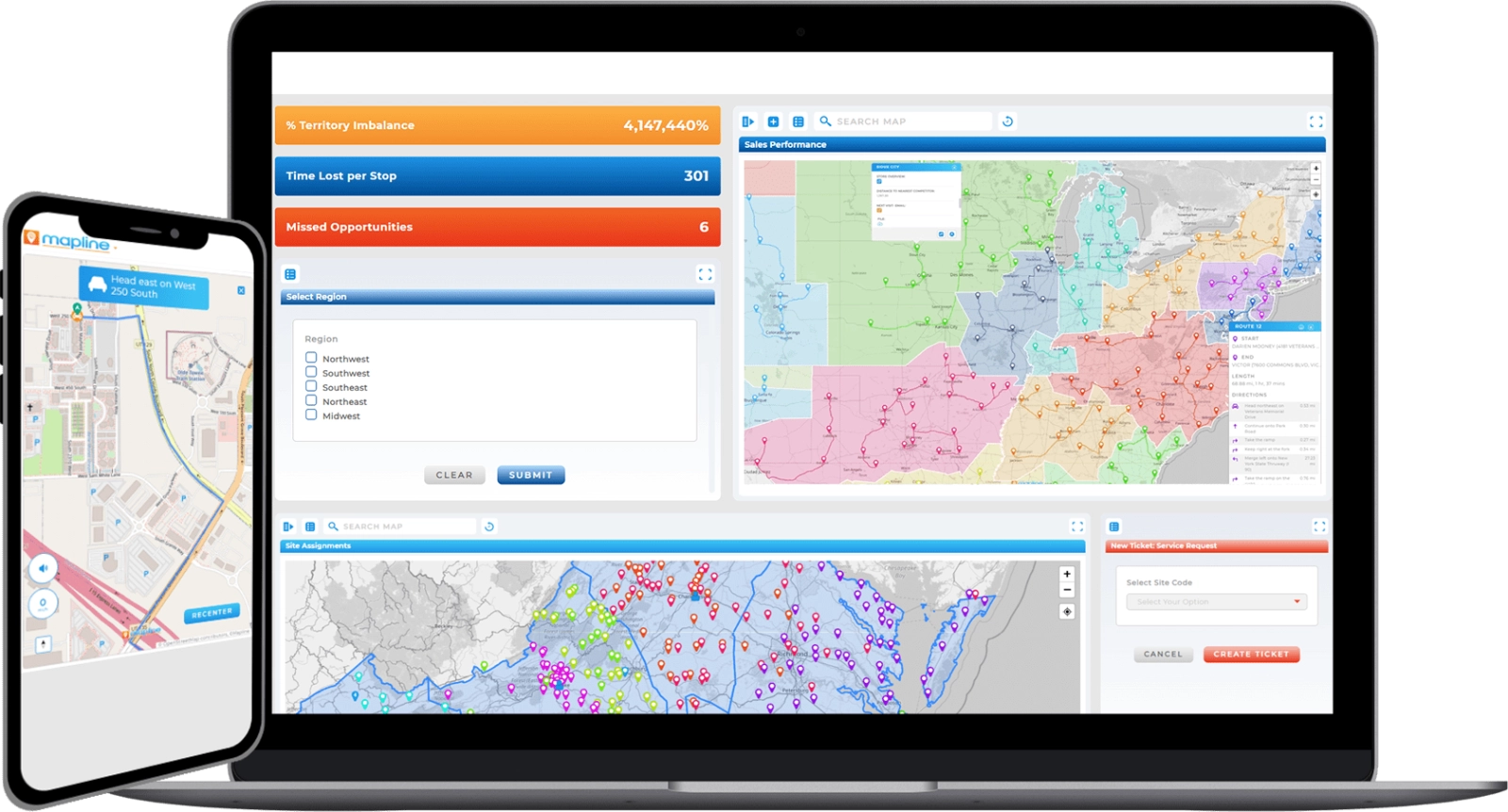
Mapline bridges the gap between Excel-based workflows and advanced route optimization software. Teams can upload spreadsheet data, geocode addresses, and generate optimized routes without complex setup.

Mapline supports smart routing at scale, making it easy to transition from manual planning to AI-powered optimization. Its visual tools and flexible integrations allow organizations to evolve their routing strategy as data grows.

Advanced route optimization with Mapline

When to Move Beyond Excel for Route Optimization

If routing requires frequent updates, multiple constraints, or high volumes of stops, Excel alone is no longer sufficient. At that point, the cost of manual effort outweighs the convenience.

Route optimization software provides consistency, speed, and scalability that spreadsheets cannot match. Integrating these tools early helps teams avoid bottlenecks as operations expand.

Building Smarter Routing Workflows

Effective route optimization is not just about algorithms, but about workflows. Clean data, repeatable processes, and clear visualization all contribute to better outcomes.

By combining Excel for data management with AI-powered routing and mapping tools, teams gain the best of both worlds. This approach enables smarter routing decisions that scale with the business.
Advanced route optimization with Mapline

Conclusion: Route Optimization with Excel and AI

Excel remains a valuable tool for organizing and managing routing data, but it is not designed to handle modern routing complexity on its own. AI-powered route optimization software extends Excel’s capabilities by automating decisions and scaling performance.

Organizations that embrace data-driven routing gain measurable advantages in efficiency, cost control, and service quality. The key is choosing tools like Geo Routing, that integrate seamlessly with existing workflows while enabling smarter, faster decisions.

What is route optimization in Excel?

Route optimization in Excel typically involves organizing addresses, sequencing stops manually, and using basic calculations to estimate distances or travel times. While Excel is useful for small datasets, it lacks the automation and intelligence needed for complex or large-scale routing.

Can Excel be used with route optimization software?

Yes. Many teams use Excel as a data preparation tool and then connect spreadsheets to route planner software. This approach allows teams to maintain familiar workflows while leveraging AI-powered routing for optimization and scalability.

What are the limitations of route optimization in Excel?

Spreadsheets are great for storing routing data, but they don’t make complex routes easy to see. Routing platforms like Mapline turn that data into visual routes, making it clearer what’s working, what isn’t, and where optimization is needed.

How does AI improve route optimization?

AI-powered routing evaluates thousands of possible route combinations while accounting for constraints like time windows, vehicle capacity, and traffic patterns. This results in faster, more efficient, and more consistent routing decisions compared to manual methods.

When should teams move from Excel to route optimization software?

Teams should consider route optimization software when routes need frequent updates, involve many stops or vehicles, or require consistent performance at scale. At this point, automation becomes essential for efficiency and accuracy.

Does route optimization software replace Excel entirely?

No. Excel remains valuable for data management, reporting, and internal workflows. Route optimization software complements Excel by handling complex routing logic and optimization tasks that spreadsheets cannot scale effectively.

START OPTIMIZING ROUTES WITH MAPLINE