


Close
WE'RE ALL ABOUT
YOUR
SUCCESS
HOW WOULD YOU LIKE TO GET IN TOUCH:
Email
Calendar
Close
READY FOR MAPLINE TO
ROCK
YOUR WORLD?
Our team is ready to help you eliminate wasted time, maximize your sales coverage, and supercharge your team's efficiency. We'll provide the expert guidance and tailored solutions you need to get things right.
Stop missing out on valuable opportunities. Reach out, and we'll get started on optimizing your territories today!
Email
Calendar
Close
READY FOR MAPLINE TO
ROCK
YOUR WORLD?
WE WANT YOU TO EXPERIENCE EVERY-THING YOU'VE BEEN MISSING BY STARTING YOUR FREE TRIAL TODAY! OUR TEAM IS READY TO HELP CHANGE YOUR LIFE. SO REACH OUT AND WE'LL GET THINGS STARTED!
Email
Calendar
Close
READY FOR MAPLINE TO
ROCK
YOUR WORLD?
Discover the potential of Mapline with a LIVE DEMO from our experts. This is your chance to see it in real-time and get all your questions answered. Connect with us to schedule your demo today!
Email
Calendar
Close
Give us a call. We'd love to talk!

+1 800.969.1454

Close
Give us a call. We'd love to talk!

+1.888.670.3795

Close
Close
Geo Mapping Starter Close

Experience the power

Get ready to see your data in a whole new way!
Geo BI Trial Close

Experience the power

Get ready to see your data in a whole new way!
Your 7-day free trial awaits!
Geo Routing Trial Close

Experience the power

Get ready to see your data in a whole new way!
Your 7-day free trial awaits!
Geo Scheduling Trial Close

Experience the power

Get ready to see your data in a whole new way!
Your 7-day free trial awaits!
Close
Close
Mapline
vs. Online Mapping
Software Alternatives
Mapline
vs. Online Mapping
Software Alternatives

Online mapping software has never been easier to access. With a quick search, you’ll find dozens of tools that promise to turn spreadsheets into maps in minutes. And for simple visualization, many of them do exactly that.

But as soon as businesses try to move beyond basic pin plotting—into territory planning, routing, reporting, or real operational decision-making—those tools start to show their limits.

This is where the difference between a mapping tool and a mapping platform becomes impossible to ignore.

In this article, we’ll break down the most common categories of online mapping software, where they work well, where they fall short, and why Mapline has emerged as the forerunner for teams that need more than just a map with pins.

What Most People Mean by “Online Mapping Software”

For many teams, online mapping software starts as a way to answer a simple question: “Where are our locations?”

At the most basic level, these tools allow you to:

  • Upload a spreadsheet
  • Plot locations as pins
  • Share a map link with others

For lightweight use cases—like visualizing event locations, store lists, or basic customer distribution—this can be enough. The problem is that many tools stop there.

As soon as businesses need to analyze, optimize, or operate based on geography, basic mapping tools become bottlenecks instead of solutions.

Every business needs data analytics software like Mapline's Geo BI
magnifying glass with a checkmark inside

Pro Tip: If your mapping tool forces you to export data just to answer basic operational questions, it’s not a long-term solution—it’s a temporary visualization layer.

Category 1: Basic Pin Mapping Tools

These tools focus almost entirely on plotting locations on a map.

What they do well

  • Quick setup with minimal learning curve
  • Simple pin visualization
  • Easy sharing for one-off use cases
Where they fall short
  • Pins are largely static and disconnected from deeper analysis
  • Little to no support for territories, routing, or reporting
  • Manual updates as data changes
  • No way to scale as datasets grow or workflows become more complex

These tools are useful for visual reference, but they’re not designed for decision-making.

multi stop routing software

Category 2: Spreadsheet-to-Map Tools

This group builds slightly more capability on top of pin mapping by leaning heavily on spreadsheets.

What they do well

  • Familiar with Excel or Google Sheets workflows
  • Basic filtering and grouping
  • Faster onboarding for non-technical users
Where they fall short
  • Analysis still lives outside the map
  • Manual exports for reporting or comparisons
  • Limited automation
  • Performance issues as data volume increases

In practice, teams end up bouncing between spreadsheets and maps, reconciling mismatched views instead of working from a single source of truth.

Man frustrated by spreadsheets and overwhelming data

Category 3: CRM-Dependent Mapping Tools

Some mapping tools live entirely inside a CRM ecosystem.

What they do well
  • Native access to CRM records
  • Familiar environment for sales teams
  • Basic territory and route visualization
Where they fall short
  • Locked into a single data source
  • Limited flexibility outside CRM objects
  • Complex setup and maintenance
  • Often require add-ons for routing, analytics, or automation

These tools can work well for narrowly defined sales workflows, but they struggle to support cross-functional teams or broader operational use cases.
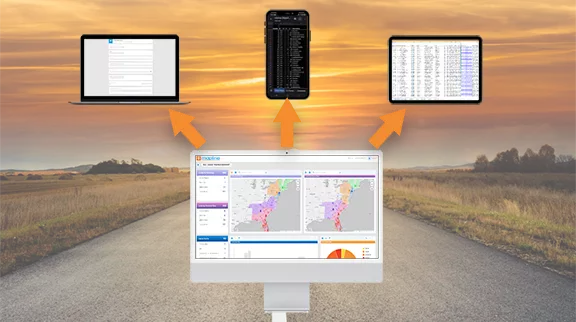
The only mobile-friendly CRM that empowers you to do more with location data

Category 4: GIS-Heavy or Enterprise Mapping Tools

At the opposite end of the spectrum are complex GIS platforms.

What they do well
  • Extremely powerful spatial analysis
  • Advanced modeling capabilities
  • Deep customization
Where they fall short
  • Steep learning curves
  • Long implementation timelines
  • Heavy reliance on specialists or consultants
  • Overkill for most business users

For many organizations, these tools provide more complexity than clarity.

field service scheduling platform

Where Mapline Fits — And Why It Stands Apart

Mapline was built to bridge the gap between simplicity and power.

Instead of forcing teams to choose between “easy but limited” or “powerful but unusable,” Mapline delivers a platform that scales from basic mapping to full operational intelligence—without changing tools.

How Mapline Goes Beyond Traditional Mapping Software

Maps That Stay Connected to Your Data

Every pin, territory, and report in Mapline stays linked to your underlying dataset. When data changes, your map reflects it. There’s no re-uploading, re-exporting, or rebuilding views from scratch.
Visualize market penetration and other key metrics with mapline's data mapping software

Territory Intelligence, Not Just Drawing Tools

Mapline allows teams to create, manage, and analyze territories as living regions—not static shapes. You can understand workload, performance, coverage, and gaps by region without stitching together separate tools.
territory mapping software

Routing Built for Real Operations

Unlike basic route planners, Mapline supports routing that accounts for real-world constraints like priorities, time windows, depots, visit frequency, and capacity. This makes it usable for sales, service, delivery, and field operations alike.
route optimization in excel

Built-In Analytics and Dashboards

Maps don’t live in isolation. Mapline combines maps, charts, KPIs, and reports into a single interactive view, so teams stop exporting data just to understand what’s happening.
Business analytics software: level up your insights with Mapline's Geo BI

Automation and Connectivity

With APIs, connectors, and automations, Mapline integrates into existing workflows instead of becoming another disconnected tool. This is where many “online mapping tools” simply can’t compete.
Drive accountability and results with interactive dashboards

Why Mapline Is the Forerunner of the Pack

Most online mapping software answers the question “Where are things?” Mapline answers “What should we do next?”

That difference matters.

When teams rely on basic mapping tools, geography becomes a static reference. When they use Mapline, they get an instant map from Excel data. Then, geography becomes a decision engine—guiding planning, execution, and optimization across the business.

Choosing the Right Mapping Software for Your Team

If you’re evaluating online mapping software, ask yourself:

  • Will this tool still work when our data doubles?
  • Can it support territories, routing, and reporting together?
  • Does it adapt as conditions change, or does it require constant manual work?
  • Will teams actually use it day to day?

If the answer to those questions matters to your business, you’re already beyond basic mapping—and that’s exactly where Geo Mapping with Mapline excels.

What is online mapping software?

Online mapping software allows users to visualize location-based data on interactive maps, often using uploaded spreadsheets or connected data sources.

What’s the difference between an online map with pins and a mapping platform?

Maps with pins show where locations exist. Mapping platforms help you analyze, plan, route, and make decisions based on those locations.

Can online mapping software scale for large datasets?

Many tools struggle as data volume grows. Platforms built for scalability, like Mapline, are designed to handle high-volume, real-time data without performance loss.

Is Mapline only for sales teams?

No. Mapline is used across sales, operations, logistics, service, marketing, and planning teams—anywhere location impacts decisions.

Do I need technical skills to use Mapline?

No. Mapline is designed for business users, with no coding required to build maps, territories, routes, or dashboards.

GO BEYOND TRADITIONAL MAPPING SOFTWARE WITH MAPLINE