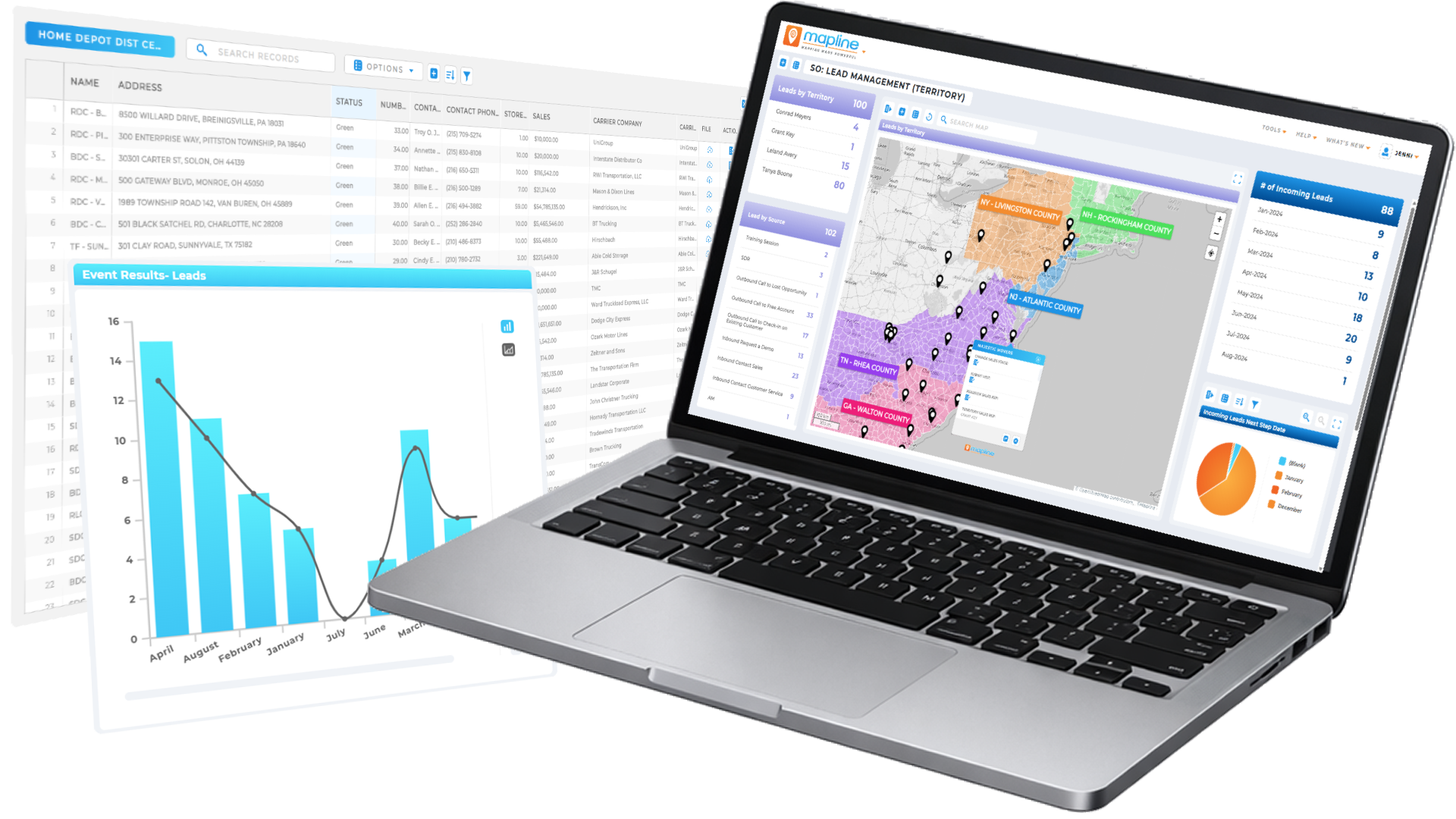
Our team is ready to help you eliminate wasted time, maximize your sales coverage, and supercharge your team's efficiency. We'll provide the expert guidance and tailored solutions you need to get things right. Stop missing out on valuable opportunities. Reach out, and we'll get started on optimizing your territories today!
READY FOR MAPLINE TO
ROCK
YOUR WORLD?
WE WANT YOU TO EXPERIENCE EVERYTHING! HOW WOULD YOU LIKE TO GET IN TOUCH SO WE CAN GET THINGS STARTED?
READY FOR MAPLINE TO
ROCK
YOUR WORLD?
Discover the potential of Mapline with a LIVE DEMO from our experts. This is your chance to see it in real-time and get all your questions answered. Connect with us to schedule your demo today!
Plot addresses on a map fast—then turn your locations into insights with Geo Mapping
GEO
MAPPING
Plot locations on a map in seconds! Upload your spreadsheet, plot addresses or coordinates, and instantly create a customizable map with pins—no coding, GIS tools, or complicated setup required. Go from rows of data to a fully interactive map in seconds, making it easy to visualize multiple locations and understand what’s really happening across regions. Filter, group, and customize your map to highlight what matters most. Whether you’re tracking customers or planning routes, you’ll uncover insights faster and make better decisions.
How to Plot Locations on a Map in Seconds
Plotting locations on a map (also known as creating a pin map) should be fast, simple, and require no technical setup. With the right tools, you can go from spreadsheet to fully interactive map in just a few clicks—making it easy to visualize, organize, and analyze your data.
Upload your data: Import an Excel, CSV, or Google Sheets file with addresses, ZIP codes, or coordinates
Plot your locations instantly: Each row becomes a pin on your map automatically
Customize your map: Adjust colors, labels, and groupings to organize your data visually
Analyze and share: Filter your data, identify patterns, and share your map with your team
Your data is already in Excel—mapping it shouldn’t require rebuilding everything from scratch. With Mapline, you can upload your spreadsheet and instantly transform it into a dynamic, interactive map.
Instead of static rows and columns, you’ll be able to click into locations, filter your data, and explore patterns visually.
Filter and Segment Your Mapped Data
Plotting locations is just the first step. Real insight comes from narrowing your focus. With filtering and segmentation, you can instantly isolate specific regions, customer groups, or performance metrics without changing your original dataset.
This makes it easy to analyze exactly what matters, whether you’re looking at top-performing territories or identifying underperforming areas.
Filter by region, ZIP code, or territory
Segment customers, accounts, or locations by category
Focus on high-value or high-priority data instantly
Pro Tip: Filtering + segmenting your data by region or category helps you move from “where are my locations?” to “where should we focus next?” — turning your map into a decision-making tool, not just a visual.
Identify Patterns and Trends Across Locations
Once your data is visualized on a map, patterns become immediately clear. Instead of scanning spreadsheets, you can quickly spot clusters, gaps, and trends that drive better decision-making.
These insights help teams prioritize resources, adjust strategy, and uncover opportunities that would otherwise go unnoticed.
Spot high-density clusters and demand hotspots
Identify gaps in coverage or underserved regions
Compare performance across locations at a glance
Create Territories and Analyze Location Relationships
Mapping your data also allows you to organize locations into meaningful regions and understand how they relate to one another. This is especially valuable for sales, operations, and logistics teams.
By grouping locations and measuring proximity, you can improve planning, optimize coverage, and make more strategic decisions.
Create custom territories and coverage areas
Group locations by region, team, or account
Measure distance, travel time, and proximity between points
TURN YOUR DATA INTO A COMPETITIVE EDGE
Plot Locations
EASILY FROM A SPREADSHEET
VISUALIZE
YOUR DATA IN SECONDS
HEAT MAP
YOUR DATA AND UNCOVER KEY PATTERNS
CUSTOM TERRITORY
CREATION AND MANAGEMENT
INCREDIBLE STYLING
AND PIN GROUPING OPTIONS
Which Types of Locations Can You Plot on a Map?
You can plot virtually any type of location-based data on a map, from customer addresses to GPS coordinates and operational sites. Whether your data lives in a spreadsheet or comes from a system export, mapping it gives you instant visibility into how your locations are distributed and how they relate to each other.
Customer and Business Locations
Plot customer addresses, client accounts, or business locations to understand where your audience is concentrated. This helps sales and marketing teams identify high-value regions, improve targeting, and prioritize outreach.
Delivery Addresses and Service Locations
Map delivery stops, service appointments, or field locations to visualize coverage and improve efficiency. This is especially valuable for logistics and operations teams looking to reduce travel time and optimize routes.
GPS Coordinates and Latitude/Longitude Data
If your data includes latitude and longitude, you can plot precise locations anywhere in the world. This is ideal for tracking assets, analyzing field activity, or mapping data collected from mobile devices and GPS systems.
Warehouses, Distribution Centers, and Hubs
Plot warehouses, fulfillment centers, or distribution hubs to understand how your network is structured. This makes it easier to analyze coverage, assign locations, and optimize how resources are deployed.
Territories, Regions, and Custom Areas
Map territories, ZIP codes, or custom regions to organize your locations into meaningful groups. This helps teams manage coverage, balance workloads, and analyze performance across different areas.
PLOT LOCATIONS ATLIGHTNING SPEED
Turn Mapped Locations Into Real Business Outcomes
Plotting locations gives you visibility, but the real value comes from what you do next. With the right tools, you can take your mapped data further to optimize operations, improve performance, and make faster, more informed decisions.
Assign Locations to the Nearest Hub Automatically
Instantly connect each location to its closest warehouse, store, or distribution center. This helps you understand coverage, reduce travel time, and ensure every location is served as efficiently as possible. It’s especially useful for logistics, retail networks, and service teams managing multiple hubs.
Build Optimized Multi-Stop Routes
Turn your mapped locations into optimized routes with the most efficient stop order. This reduces drive time, cuts fuel costs, and helps teams complete more visits in less time. Whether you’re planning deliveries or sales visits, routing transforms your map into an execution plan.
Calculate Drive Time and Distance Between Locations
Measure how far locations are from each other based on real-world travel conditions. This allows you to evaluate proximity, estimate travel time, and make better decisions about coverage, scheduling, and territory assignments.
Visualize Coverage Areas with Radius or Drive-Time Zones
Draw radius or drive-time boundaries around key locations to understand how far your team can realistically reach. This makes it easy to identify gaps in coverage and ensure customers are within serviceable distances.
Overlay Demographic and Regional Data
Enhance your map by layering in demographic data or regional insights. This helps you understand not just where your locations are—but who they serve—so you can make more informed decisions about targeting, expansion, and resource allocation.
Share and Embed Maps Without Exposing Your Data
Share interactive maps with your team or stakeholders while keeping your underlying data secure. You can control access, embed maps into presentations or websites, and collaborate without compromising data integrity.
LOCATION MATTERS —YOUR MAPPING PLATFORM SHOULD SHOW IT
WHATMAKES MAPLINE SODIFFERENT
SIMPLEST MAPPING SOLUTION
Visualize your spreadsheet data in seconds with a simple upload—no complicated setup required. Instantly generate heat maps that reveal patterns, trends, and opportunities you might otherwise miss. And if you ever need help, our team is here to support you every step of the way.Visualize your spreadsheet data in seconds with a simple upload—no complicated setup required. Instantly generate heat maps that reveal patterns, trends, and opportunities you might otherwise miss. And if you ever need help, our team is here to support you every step of the way.
POWERFUL MAP-BASED ANALYTICS
Mapline is built on powerful geospatial technology designed to unlock the value of location data. By combining distance, distribution, and real-world context, it helps you understand where you are today—and confidently plan where to go next.Mapline is built on powerful geospatial technology designed to unlock the value of location data. By combining distance, distribution, and real-world context, it helps you understand where you are today—and confidently plan where to go next.
Don’t just take our word for it:
“If you’re an advertiser, you want to know the markets I’m in. So, what am I going to do? Print out a spreadsheet? No, of course not. I’m going to use Mapline.”
– Sam Anthony, Your News
“I’m able to get a very complex, very deep and profound analysis.”
– Juan Hernández, RE/MAX
“Thank you Mapline for such an AMAZING program that is saving us money and building confidence in our future growth!”
– Lydia Rogers, Greenworks Commercial
“When people see it, they believe it. I show potential affiliates the map to start, just to show them how many markets we’re in and how we’re expanding.”
To plot locations on a map, upload a spreadsheet with addresses or coordinates into a mapping tool, and each row will automatically appear as a pin. You can then customize, filter, and analyze your locations in an interactive map.
You can plot multiple addresses on a map for free by uploading your data into a mapping platform that supports bulk location plotting. This allows you to map hundreds or thousands of locations at once without manual entry.
Yes, you can plot locations on Google Maps, but it has limitations for large datasets and customization. Many users switch to dedicated mapping tools when they need to map multiple locations, analyze data, or create more advanced visualizations.
The fastest way to plot multiple points on a map is to upload an Excel or CSV file into a mapping tool that automatically generates pins for each location. This eliminates the need to manually add points one at a time.
Yes, you can create a map with pins from Excel data by uploading your spreadsheet and selecting your location columns. Each row becomes a pin, allowing you to visualize and interact with your data instantly.
You can plot addresses, ZIP codes, GPS coordinates, customer locations, delivery stops, and business locations. Any data with a geographic component can be visualized on a map.
No, Geo Mapping is designed for non-technical users and allow you to plot locations in just a few clicks. You don’t need coding, GIS experience, or special training to get started.
The number of locations depends on the platform, but many mapping tools allow you to plot hundreds or thousands of locations at once. Advanced tools are built to scale with larger datasets.
Yes, you can customize your map by adjusting colors, labels, and filters, then share it with your team or embed it into presentations or websites. This makes it easy to collaborate and present your data.
The best free tool to plot locations on a map is one that allows you to upload data, generate pins instantly, and customize your map without limitations. Platforms like Mapline are designed for business use and offer more flexibility than basic tools.
Mapline’s Geo Mapping platform lets you create heat maps at no cost—no credit card required. Just sign up, upload your Excel data, and turn it into powerful visualizations in seconds. You’ll get instant access to free heat mapping, pin plotting, and basic territory tools right out of the gate.
When you’re ready for more—like demographic overlays, government boundary data, and advanced Geo Mapping features—you can easily upgrade, unlocking deeper insights as your needs grow.
GEO
Mapping
GET STARTED FOR FREE
No credit card required
One map, two datsets — Completely FREE!
Access to live support and training resources
START MAPPING FOR FREE
Mapping Made Powerful Copyright Mapline Inc. Sales: +1 800.969.1454